
eCommerce Operations · Product Data Strategy
Managing 160,000+ SKUs at Scale
What large-scale catalog operations really require, from taxonomy and fitment to bulk updates, data quality, merchandising, and customer experience.
Managing a large eCommerce catalog is not simply a matter of uploading more products. Every SKU introduces product information, images, attributes, categories, fitment requirements, pricing, inventory connections, search considerations, and customer expectations.
Under the 4 State Trucks umbrella, I work across three major eCommerce catalogs. One currently contains 160,580 SKUs and adds an average of approximately 550 new products each week. A second contains approximately 178,000 SKUs and adds an average of 1,200 new SKUs each month. A third contains 160,580 SKUs and also adds an average of approximately 550 products each week.
We also maintain several branded websites that receive eligible products through automated feeds. A product flows into one of these catalogs only when it is sold under the corresponding brand. The feeds are updated monthly and currently require less manual involvement, although future initiatives will focus on improving their content, structure, and customer experience.
The largest catalog in the portfolio contains approximately 178,000 SKUs. The largest catalog I actively manage at a detailed, hands-on level contains 160,580 active SKUs.
That distinction matters. Catalog size is only one measure of complexity. The level of responsibility involved in defining the structure, managing product relationships, creating data standards, resolving errors, directing updates, and verifying the customer experience provides a more complete picture of catalog ownership.
Restructuring a catalog that had outgrown its system
When I began working at 4 State Trucks, the online catalog contained approximately 33,000 products and a structure with roughly 33,000 categories.
That was not scalable. BigCommerce has a category cap of approximately 16,000, but the larger concern was usability. Excessive categories make the catalog harder for customers to navigate and more difficult for employees to manage consistently.
The original structure guided customers through a truck make and model hierarchy before directing them into make, model, and product-category combinations. That approach reflected an important reality of the automotive and heavy-duty truck industries: fitment matters. Customers need to know whether a product will fit their specific truck.
Fitment does not mean every possible combination requires its own category. Universal products can be reused across the appropriate sections. Compatible makes and models can sometimes be combined. Categories should represent meaningful shopping paths, not every possible variation hidden within the product data.
By evaluating universal products, reusing categories where appropriate, and combining compatible make and model groupings, I helped reduce the catalog from approximately 33,000 categories to just over 8,000. This brought the structure within the platform's limits while preserving the fitment-based navigation customers needed.
Moving from category-based fitment to guided discovery
More recently, we began changing the catalog structure through the implementation of Convermax.
Convermax allows products to be tagged with the correct year, make, and model information. Instead of building every vehicle application directly into the category tree, products can be organized by product line while the fitment tool manages vehicle compatibility.
The customer journey becomes more direct:
- The customer identifies the year, make, and model of the truck.
- The system determines which products are compatible.
- The customer browses the relevant product categories and subcategories.
- Category-specific filters help narrow the remaining options.
Separating vehicle fitment from the main taxonomy creates a more intuitive shopping experience and a catalog structure that is easier to maintain. The category tree no longer has to carry the full weight of both product classification and vehicle compatibility.
Attributes must be relevant to the product line
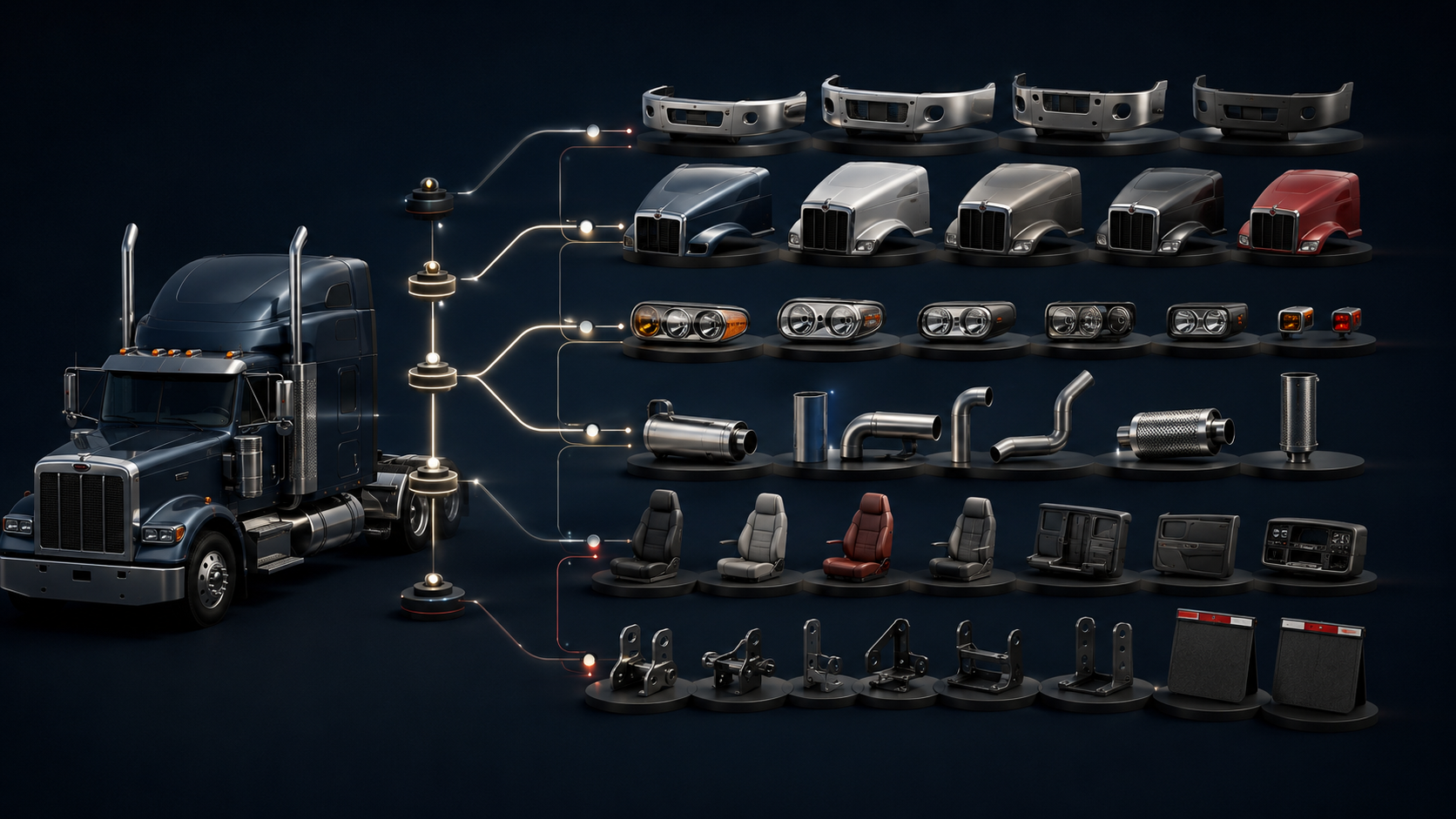
Attributes should not be applied universally without considering the product. A customer shopping for a bumper needs different information from someone shopping for a hood, light, exhaust component, interior accessory, or mudflap hanger.
Useful bumper attributes may include:
- Material and finish
- Size and mounting style
- Cutouts and tow-hole options
- Sensor compatibility
- Truck application
Useful lighting attributes may include:
- Light type and LED color
- Lens color
- Shape and dimensions
- Mounting method
- Connector type and quantity
The attributes must reflect the questions customers need answered before they can confidently select a product.
Each product line has its own attribute structure. I built a program inside FileMaker that allows these attributes to be assigned to products in a standardized way. Members of my team use the system to apply the appropriate information during product onboarding and maintenance.
The work does not end when the values are assigned. We regularly review categories, product pages, attributes, and filters on the live website. This helps us identify values assigned incorrectly, attributes that are too broad, and filters that do not provide meaningful assistance.
A technically valid attribute is not always useful to the customer. Catalog management requires both data discipline and human judgment.
Product uniformity creates the foundation
Taxonomy, attributes, filters, search, feeds, and automation all depend on product uniformity. Before information can be imported or used consistently, the business must establish a standard for what is collected for each product.
- SKU and manufacturer part number
- Product name and brand
- Description and specifications
- Vehicle fitment
- Categories and attributes
- Images and pricing
- Inventory relationships and visibility
- Parent and child relationships
- H1, H2, and SEO content
The product description, headings, and SEO paragraph must be populated from accurate manufacturer information. Product content should help search engines understand the page, but it must first help the customer understand the product.
Without standards, the same material, finish, vehicle, or feature can be entered several different ways. Those inconsistencies eventually appear in filters, search results, feeds, reporting, and customer-facing pages.
At scale, standardization is not cosmetic housekeeping. It is operational infrastructure.

How I handle bulk product updates
The simple answer is exports and imports. The complete answer is that safe bulk updates require a controlled process.
Updating products individually is not realistic in a catalog of this size. I developed structured workflows using Excel, FileMaker, standardized import templates, platform exports, and bulk-management tools.
Depending on the project, a bulk update may involve SKUs, product names, categories, descriptions, attributes, pricing, images, inventory connections, visibility, or parent and child configurations.
Large projects are divided into manageable batches. This makes it easier to isolate errors, monitor progress, and correct problems without placing the entire catalog at risk.
Building data quality into the workflow
Data quality cannot depend solely on someone noticing a problem after it reaches the website. Quality checks must be part of the workflow.
I review data for duplicate SKUs, missing required fields, invalid categories, inconsistent attributes, broken image paths, incorrect visibility settings, orphaned child products, invalid parent and child relationships, disconnected inventory records, and incomplete fitment information.
After an import, I review the platform's results and create exception lists for records that failed or require additional research. I also verify representative products on the live website. An import can complete successfully from a technical perspective while still producing a poor customer experience.
My approach is to prevent errors through standards, detect exceptions through reporting, and verify results from both the system and customer perspectives.
Managing 91,000 product relationships
One of the largest projects I led involved approximately 91,000 parent and child product relationships.
Product relationships determine how variations are presented to customers. When they are poorly structured, customers may encounter dozens of nearly identical products, unclear options, missing variations, or selections that do not connect to the correct SKU.
Restructuring those relationships required consistent option names, standardized option values, reliable SKU connections, correct sequencing, validation rules, controlled imports, and customer-facing verification.
The goal was to create a cleaner purchasing experience without compromising the accuracy of the underlying records.
Connecting operations to business value
How catalog improvements support revenue
I have made changes across UX, merchandising, product data, and marketing that reduced purchasing friction and expanded the number of products customers could buy online.
From a UX perspective, I improved category placement, website search, product attributes, fitment information, images, specifications, visibility, options, and parent-child configurations.
From a merchandising perspective, I helped grow the primary 4 State Trucks catalog from approximately 33,000 products to more than 160,000. I managed product onboarding, descriptions, specifications, images, categories, attributes, and availability.
The processes I developed also helped increase new-product upload output by 279 percent. This enabled more products to reach the website faster and reduced the delay between receiving information and making an item available to customers.
I cannot honestly assign a specific revenue or conversion increase solely to my individual work without isolated analytics or controlled testing. What I can demonstrate is that my work:
Large catalogs require more than more products.
The challenge is not the number of rows in an export. It is creating a system in which taxonomy, attributes, fitment, product relationships, descriptions, images, feeds, search, and internal processes continue working together as the catalog grows. The products may be what customers see, but the structure behind them determines whether those products can be found, understood, managed, and purchased.